Service Area & Location Guide

TTC Service Areas and Property Location Guide

Review the general areas served by TTC and learn how a hotel, villa or Airbnb location is handled during booking. The booking system or Customer Service review determines the applicable transfer options.

  • Hotels & villas
  • Airbnb location review
  • TQO & CUN routes

Traveling today or within 24 hours? Review Last-Minute Transfer Information.

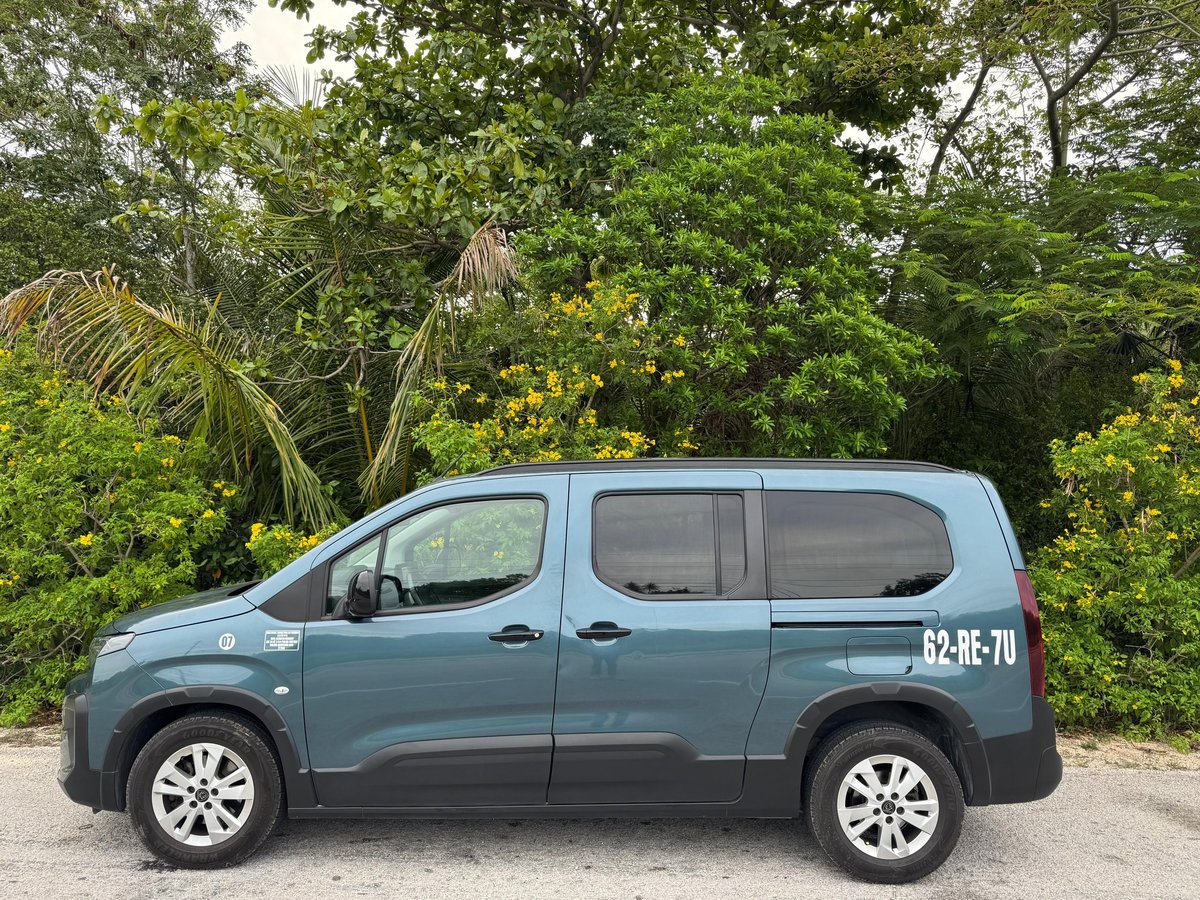
TTC private transfer vehicle serving hotels and destinations across Tulum and the Riviera Maya

Booking System First

Search for your hotel or property in TTC's online booking system.

Zone-Based Configuration

Listed properties are connected to their applicable service area within the booking system.

Map for General Reference

The map helps travelers review locations but does not calculate a transfer rate.

Customer Service Review

Unlisted hotels, villas or Airbnbs can be submitted for location review.

Booking & Location

How Your Property and Transfer Options Are Identified

TTC's booking system already contains listed hotels and properties connected to their applicable service areas. Travelers do not need to calculate a zone manually before booking.

1

Open Online Booking

Select the applicable airport or transfer service in TTC's booking system.

Open TTC Online Booking
2

Search for the Property

Select the hotel or available property that matches the intended pickup or drop-off location.

3

Review the Available Options

The booking system displays the applicable vehicle categories and rates configured for the selected route and property.

Do not select a different hotel or property only to obtain a rate. If the correct location is not listed, send its Google Maps link to Customer Service for review.

Interactive Map

Review TTC Service Areas on Google Maps

Use the map to review general locations across Tulum and the Riviera Maya. Map boundaries, markers and routes are informational references only.

The map is provided as a general service-area reference. It does not calculate or determine the final transfer rate, confirm route availability or create a reservation.

This map is hosted by Google. Loading or interacting with it may connect your browser to Google and is subject to Google's privacy terms.

Review Google's Privacy Policy

Common Service Areas

Locations Available in TTC Route Selection

TTC serves selected locations across Tulum and the Riviera Maya. Available transfer options may vary according to the selected airport, route, property and vehicle category.

Tulum Downtown
Tulum Hotel Zone
Akumal
Puerto Aventuras
Playa del Carmen
Puerto Morelos
Cancun
Bacalar
Review All Transfer Destinations

A location appearing on the map or in this guide does not by itself confirm availability for a specific date or service.

Location Review

Hotel, Villa or Airbnb Not Listed?

If the correct property does not appear in the booking system, do not select another location only to obtain a price. Send the exact Google Maps link to TTC Customer Service for review.

1

Copy the Google Maps Link

Open the hotel, villa or Airbnb location in Google Maps and copy its share link.

2

Send the Travel Details

Include the airport or pickup point, date, requested time, destination, passengers and luggage.

3

Wait for the Applicable Instructions

Customer Service will review the location information and communicate how to continue with the request.

Do not send card numbers, CVV codes, passwords or sensitive banking information through WhatsApp or email.

Customer Service: 9:00 AM–7:00 PM, local Tulum time

Online Booking

Find Your Property and Book Your Transfer

Search for your hotel or listed property in TTC's booking system to review the applicable transfer options and vehicle rates.

Verify the airport, property, travel date, passenger count and luggage before completing the reservation.

Service Area FAQ

Service Area, Property Location and Booking FAQs

Find practical answers about using the TTC service area map, locating a property and reviewing transfer options through the booking system.

What is the TTC service area map used for?

The map provides a general visual reference for locations served by TTC across Tulum and selected destinations in the Riviera Maya. It can help travelers review where a hotel, villa or Airbnb is located.

Does the map calculate or determine the transfer rate?

No. The map does not calculate or determine a transfer rate. Applicable transfer options and rates are provided through TTC's booking system or after Customer Service reviews an unlisted property.

How can I find the rate for my hotel?

Open TTC's online booking system, select the applicable airport or transfer service and search for the correct hotel or listed property. The system will display the transfer options configured for that selection.

Open TTC Online Booking
What should I do if my hotel, villa or Airbnb is not listed?

Do not select a different property only to obtain a price. Copy the exact Google Maps share link and send it to TTC Customer Service with the airport or pickup point, date, requested time, destination, passengers and luggage.

Send on WhatsApp
Can I select a nearby hotel instead of the correct property?

No. Nearby properties may belong to different configured service areas or require different route information. Use the exact hotel, villa or Airbnb location intended for pickup or drop-off.

Which common service areas are shown in this guide?

The guide includes Tulum Downtown, Tulum Hotel Zone, Akumal, Puerto Aventuras, Playa del Carmen, Puerto Morelos, Cancun and Bacalar. Available options may vary according to the selected airport, route, property and vehicle category.

Review All Transfer Destinations
Can the map be used for transfers from TQO and CUN?

The guide supports general location review for transfer planning from Tulum International Airport (TQO) and Cancun International Airport (CUN). Travelers should use the applicable airport page or booking system to review available routes.

Can TTC review an Airbnb or private villa location?

Yes. If the property does not appear in online booking, send its exact Google Maps link to Customer Service. The location and travel details must be reviewed before TTC communicates how to continue.

How do I share a property location from Google Maps?

Open the property in Google Maps, use the Share option, copy the location link and send it with the passenger, airport, date, time, route and luggage information. Do not send card numbers, CVV codes, passwords or sensitive banking information.

Does appearing on the map confirm availability?

No. A marker, route or location appearing on the map does not confirm vehicle availability, pricing or a reservation for a particular date. A transfer is confirmed only through the applicable TTC reservation process.

Last-Minute Transfer Information

Traveling Today or Within 24 Hours?

Same-day and next-day requests require direct review. Route, property and vehicle availability must be checked before a transfer can be confirmed.

Use the dedicated Last-Minute page to review the required information and continue with the applicable request process.

Find Your Property

Continue to TTC Online Booking

Search for the correct hotel or listed property to review the applicable transfer options. If the location is not available, send its Google Maps link to Customer Service.

Customer Service: 9:00 AM–7:00 PM, local Tulum time

Your Privacy Choices

We use essential storage for basic website functions. With your permission, Google Analytics and Google Ads help TTC measure visits and booking or WhatsApp interactions. Privacy Policy

We use essential storage to remember your privacy choices and support basic website functions. With your permission, Google Analytics and Google Ads help TTC measure website visits, booking interactions and WhatsApp interactions. You can allow these technologies, continue without them or manage each category. Privacy Policy